Push The Colors Arcade Game
Reviews
💡Push The Colors stands out with its clean design and smooth gameplay. The 2-player mode adds friendly competition, while the strategic element of choosing paths keeps each level fresh. It is easy to learn but offers enough depth to encourage replay. A solid choice for casual gamers looking for a safe, colorful experience.
Description
Game Introduction
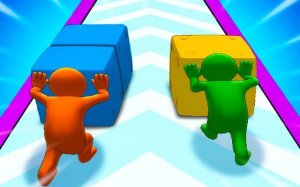
Push The Colors invites players into a bright world of squares, obstacles, and magical color gates. In this 2-player casual game, you guide your cubes through various levels, collecting fun costumes along the way. The main goal is to reach the finish line with as many cubes as possible. Each cube you gather increases your power, helping you smash through challenges and defeat the giant color monster at the end. The game encourages smart decision-making as you navigate paths, balancing speed and cube collection for greater strength. Perfect for players of all ages, Push The Colors combines strategy, timing, and colorful fun in a safe, family-friendly environment. Whether playing solo or with a friend, the simple mechanics and rewarding progression offer endless entertainment.
How to Play
In Push The Colors, Player 1 uses the A and D keys or LEFT and RIGHT arrows to move left and right, and the W key or UP arrow to push at the end. This control scheme works only in 1 Player Mode. Player 2 uses the ARROW keys to move left and right with LEFT and RIGHT arrows, and the UP arrow to push at the end. The objective is to guide your cubes through the course, avoiding obstacles and passing through color gates to collect more cubes. The more cubes you have, the more powerful you become, enabling you to destroy the color monster at the end of the level. Make wise choices on your path to maximize your cube count and succeed in this colorful challenge.
Game Features
Colorful graphics create an inviting visual experience. Simple controls make it easy for anyone to pick up and play. Exciting 2-player mode allows friends to compete or cooperate. Strategic path choices add depth to each level. Rewarding progression system encourages repeated play.
Tips for Success
Focus on collecting as many cubes as possible early on to build your power. Balance speed with careful navigation to avoid obstacles. In 2-player mode, coordinate with your partner to cover more ground. Practice each level to learn the best paths. Use the push action at the end to maximize your impact against the color monster.
✅ Compatibility & Testing
Faq
Is Push The Colors available on mobile devices?
Do I need an internet connection to play?
Can I play Push The Colors alone?
What happens if I lose all my cubes?
Are there different levels or stages?
Is there a way to reset my progress?
Relevant Games
Push The Colors Arcade Game

Dino Runner Multiplayer Arcade Game

Stickman Badminton Arcade

Farmer Challenge Party Arcade

Lava Escape Survival Game

Sports Minibattles Arcade Game

Hole Eat Grow Attack Arcade Game