Fashion Show Wardrobe Designer

Reviews
Fashion Show Wardrobe Designer is a browser dress-up game built around instant visual feedback: tap an item and it appears on your character. The absence of scores, timers, or penalties makes it approachable for players who want to experiment with color and silhouette without pressure. The stage walk at the end gives each outfit a small sense of completion. Its main limitation is that the input describes no progression system or competitive mode, so players seeking goals or challenges may find the loop shallow. It suits casual styling sessions on phone or desktop.
Description
Choosing a Character and Entering the Wardrobe
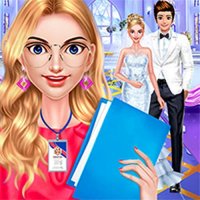
Fashion Show Wardrobe Designer begins with a character selection screen. Each available character has a distinct look and personality, which matters because the wardrobe pieces you pick will sit differently depending on who you are styling. After choosing, you move into the wardrobe area, where clothing options are organized into categories such as tops, skirts, dresses, and shoes. The interface is built around a single action: tap or click an item to see it on your character. There is no inventory management or currency system to slow down the process.
Combining Pieces and Accessories
The wardrobe holds a range of pieces meant to be mixed. You can build a formal look around a flowing gown, or combine a casual top with a patterned skirt for something more playful. Accessories extend the outfit further: necklaces, earrings, and crowns add detail, and hairstyles can be swapped to match the overall direction. The goal is a cohesive look that feels appropriate for the fashion event. Because every item is visible on the character immediately, you can judge whether a combination works before committing to it.
Experimenting Without Penalty
Nothing in the game punishes a change of mind. You can cycle through bold color combinations or stick to classic pairings, remove pieces, and rebuild from scratch as often as you like. That freedom is the core appeal: the game treats styling as a process of trial and error rather than a scored challenge. Players who enjoy developing an eye for color and silhouette will get the most from this loop, since the only feedback is your own judgment of the result.
Presenting the Final Look
When you finish dressing a character, she walks down a stage area to showcase the outfit. This short presentation is the payoff for the styling work and shows the look in motion rather than as a static image. If the result does not feel right, you can return to the wardrobe and start over. The structure keeps attention on creativity rather than competition.
Playing in a Browser
The game runs directly in a web browser with no download or installation required. It works on both mobile phones and desktop computers, and the controls adapt to touchscreens and mouse input, so the same tap-or-click interaction carries across devices.







Editorial Notes