Dog Photo Jigsaw
Reviews
Dog Photo Jigsaw keeps its scope narrow and executes it well. The drag-and-drop assembly is immediately understandable, the optional timer supports self-improvement without pressure, and the difficulty setting lets one game serve a young child and an adult in the same household. The main limitation is variety: the experience depends on the supplied dog photographs, so players who want different subject matter will need to look elsewhere. As a relaxed, no-install puzzle for short sessions, it fits its purpose.
Description
Rebuilding Dog Photographs
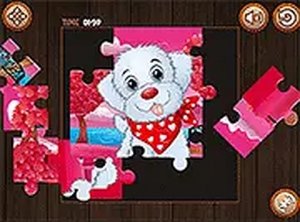
The goal in Dog Photo Jigsaw is straightforward: take a scrambled photograph of a dog and drag each piece back to its correct position until the full image is restored. Every puzzle uses a different canine subject, from playful puppies to calm adult dogs. The photographs are clear and well lit, so details like fur texture and background shapes remain visible even after the image is cut into many pieces. Those details become the cues players rely on when deciding where a piece belongs.
Controls and Feedback
Interaction is limited to clicking or tapping a piece and dragging it to the target spot. When a piece lands correctly, the game locks it in place immediately, giving a clear visual confirmation that the move was right. This immediate feedback keeps the assembly process moving without requiring instructions or tutorials. The same drag-and-drop control works on desktop computers with a mouse and on touchscreen devices with a finger, so the game behaves consistently across screen sizes and operating systems.
Difficulty and Image Selection
Before a puzzle begins, players pick one of several dog photographs and choose a difficulty setting. That setting controls how many pieces the image is divided into. A low piece count suits younger children or anyone wanting a short, relaxed session. A higher piece count extends the session and demands more careful attention to visual detail. Because each photograph has its own composition, switching images changes the puzzle rather than merely repeating the same layout with a different picture.
Timing and Progress
A timer runs quietly during each session and records how long the puzzle takes to complete. It is displayed discreetly so it does not interfere with the assembly itself. Players who prefer a pressure-free experience can ignore it entirely. Those who want to measure improvement can compare completion times across attempts and try to finish faster. The timer adds an optional layer of self-tracking without turning the puzzle into a competition.
Access and Play Context
Dog Photo Jigsaw runs entirely inside a standard web browser. There is nothing to download, install, or sign up for. A full-screen mode removes browser distractions for players who want a larger view of the pieces. The lack of setup makes the game easy to start on a home computer, a tablet, or a phone during a break, a wait, or a trip. Parents and children can also work on the same puzzle together, with the difficulty setting adjusted to match the younger player.








Editorial Notes