Recall Tile Pair Challenge
Reviews
Recall Tile Pair Challenge sticks to a classic memory matching formula and executes it without clutter. The difficulty scaling through larger grids and fresh tile images keeps each stage honest, since you cannot rely on memorization from previous rounds. Bright illustrations and subtle match feedback make it approachable for a wide age range. It lacks described scoring or time pressure, so players seeking competitive elements may find it too relaxed. As a browser-based concentration exercise, it works well for short sessions on desktop or mobile.
Description
How Matching Works
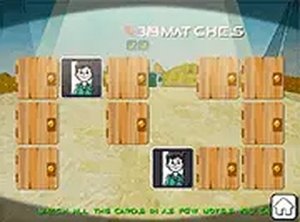
Recall Tile Pair Challenge places a grid of face-down tiles in front of you. Each tile hides a unique image. On every turn, you flip two tiles. If the images match, both stay face-up. If they differ, they flip back after a short pause. The stage ends when you have collected every pair. That simple rule set is the entire game, and it works because each flip forces a small decision: which tile to test next based on what you remember seeing.
Grid Sizes and Difficulty
Difficulty comes from grid size. Small layouts suit beginners, while larger arrays increase the number of pairs and demand better spatial recall and sustained attention. Each new level introduces fresh tile images, so memorizing positions from earlier rounds does not help. You start from scratch with every stage, which keeps the challenge consistent rather than cumulative.
Visual Feedback and Interface
Tile designs use bright, friendly illustrations that suit a wide age range. A subtle animation confirms a match, while mismatches trigger a brief visual cue that helps you track which tiles you have already seen. The interface stays clean and uncluttered, with clear buttons for restarting or returning to the menu.
Access and Controls
The game runs directly in standard web browsers on desktop and mobile devices. No installation or account creation is needed. Touch and mouse inputs are supported equally, and a full-screen mode is available. Tile sizes adjust automatically, so the game works well on tablets and phones with smaller screens.








Editorial Notes