Form Pilot - Speed Challenge
Reviews
Form Pilot - Speed Challenge targets players who enjoy quick, repeatable arcade challenges. The core loop is simple: pass through shapes, avoid collisions, and build a score. Upgrades and unlockable vessels provide a sense of progression without complicating the moment-to-moment play. The gradual difficulty scaling keeps early runs approachable while pushing experienced players to refine their reactions. Its browser-based design and touch/mouse controls make it easy to pick up, though the lack of a final goal may not appeal to those seeking a structured campaign.
Description
Core Objective and Moment-to-Moment Play
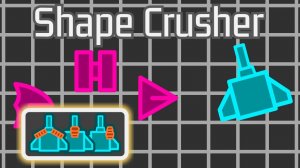
Form Pilot - Speed Challenge places you in control of a small craft navigating a continuous stream of geometric shapes. Your only goal is to pass through each shape without touching its edges. Shapes differ in size, orientation, and speed, so you must read the screen and adjust your position in real time. Successfully clearing a shape adds to your score; a single collision ends the run. The game rewards quick decision-making and spatial awareness over long-term planning. [IMG_1]
Progression Through Upgrades and Unlockables
Points earned during runs translate into opportunities to improve your craft. Upgrades target movement speed, maneuverability, or the ability to handle tighter spaces. You can also unlock additional vessels, each starting with distinct attributes such as better acceleration or a smaller hitbox. These choices let you adapt your approach as difficulty increases, rather than relying on a single fixed setup. [IMG_2]
How Difficulty Scales
Early rounds keep patterns slow and predictable, giving you time to learn the controls. As your score climbs, shapes appear more frequently, move faster, and combine in less predictable sequences. The scaling is gradual, so each session demands slightly more precision than the last. There is no final level; the challenge continues until a collision stops you. [IMG_3]
Visual and Audio Feedback
A clean, minimal visual style uses bright colors to separate the craft from background shapes. Animations are smooth and provide clear feedback for successful passes and collisions. Audio cues signal increasing speed and near-misses, helping you stay aware of the game state without distracting from the action. [IMG_4]
Platform and Controls
Form Pilot - Speed Challenge runs directly in web browsers on desktop and mobile devices, with no download required. Controls are optimized for mouse clicks on computers and touch input on phones and tablets. A pause function lets you take breaks during longer sessions. This cross-platform compatibility makes the game accessible wherever you have a browser. [IMG_5]








Editorial Notes