Pixel Color by Number Art Game
Kids Pixel Art Drawing Coloring Casual Relaxing Puzzle
Pixel Color by Number Art Game
43
Developer: Ally Core Creations
Published: 1748880000
Updated: 2026-09-30

Reviews

Pixel Color by Number Art Game delivers exactly what its name suggests: a straightforward color-by-number activity with a pixel art twist. The lack of timers and the option to save progress make it easy to pick up for short sessions. The zoom tool adds precision for detailed designs, and sharing finished pieces adds a social element. It won't challenge players looking for complex puzzles, but as a relaxing, family-friendly pastime, it succeeds.

Description

Filling Grids, Revealing Pictures

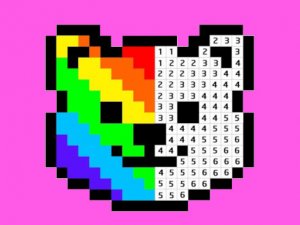
The core activity is straightforward: each design appears as a grid of squares, every square marked with a number. Using the on-screen palette, you tap or click squares to apply the color that matches that number. As you fill more squares, a pixel image emerges—animals, landscapes, or other subjects. The process is methodical and calm, with no timers or fail states. [IMG_1]

Design Variety and Progression

Designs are organized in a gallery, typically moving from simpler grids with fewer colors to more complex ones with finer detail. This natural progression lets newcomers learn the color-matching system before tackling denser images. The game may also include a progression system that unlocks more complex designs as you complete simpler ones, giving a gentle sense of advancement without pressure.

Tools for Precision and Sharing

A zoom tool helps with intricate areas, letting you isolate small sections and place colors accurately. Progress can be saved, so you can leave a design and return later. Finished artwork can be shared with others, turning a private coloring session into something you can show off. Controls support both mouse and touchscreen, making the game accessible on desktop and mobile devices. [IMG_2]

A Relaxing, Accessible Hobby

With no time limits and a forgiving pace, the game suits players seeking a mindful break. The pixel art style gives completed images a distinct charm compared to traditional coloring books. Because the rules are simple—match numbers to colors—it works for kids and adults alike, whether you want a quick five-minute session or a longer, focused coloring project.


Editorial Notes

Compatibility

▸ Desktop: Chrome / Edge / Firefox / Safari
▸ Mobile: iOS Safari / Android Chrome
▸ Tablet: iPadOS Safari / Android Tablet Browser
Keep your browser updated for the best experience

Faq

Is Pixel Color by Number Art Game suitable for young children?
Yes, the game is designed to be accessible for kids. The color-by-number system is easy to understand, and there are no time limits or competitive elements. Parents may still want to supervise younger children to help with zooming and saving progress, but the core activity is simple and safe.
Can I play Pixel Color by Number Art Game offline?
The input does not specify offline support. Since the game runs in a digital format with save and share options, an internet connection may be required for some features like sharing. For offline play, check the specific platform or app store listing before downloading.
Does the game have a time limit or scoring system?
No, there are no time limits or pressure. You can color at your own pace, take breaks, and return to saved progress. The game focuses on relaxation and creativity rather than competition or scoring, making it suitable for winding down or mindful activity.
What types of images can I color in Pixel Color by Number Art Game?
The gallery includes various categories, with subjects such as animals, landscapes, and other themes. The exact number of designs is not specified, but the game typically guides players from simpler to more complex images, so you can choose based on your preferred difficulty and interest.
Can I share my finished pixel art with friends?
Yes, the game includes share options that let you display your completed artwork. This can provide a sense of accomplishment and inspire others. The exact sharing methods depend on your device and platform, but the feature is part of the core experience.
Is there a zoom feature for detailed areas?
Yes, a precision zoom tool is available for intricate sections. It helps you accurately fill small squares without mistakes. This is especially useful for complex designs with many tiny numbered cells. The zoom works with both mouse and touchscreen inputs.