Pixel Art Color by Number
Reviews
💡Pixel Art: Color by Number offers a calming puzzle experience that is both simple and rewarding. The design library is varied, providing fresh challenges. The game encourages focus and patience as you complete each image. Its replayability is high due to the many designs and the satisfaction of creating pixel art. A solid choice for mindful gaming.
Description
Game Introduction
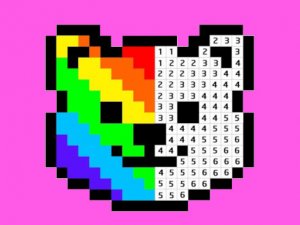
Pixel Art: Color by Number is an online puzzle game that transforms the classic coloring experience into a digital, pixel-based format. The core objective is to fill numbered grids with corresponding colors from a palette, gradually revealing detailed pixel images such as animals, landscapes, and more. Designed for relaxation and creativity, this game offers a stress-free environment with no time limits, making it suitable for players of all ages who enjoy mindful activities and digital art.
How to Play
To play, players start by selecting a design from the gallery. Each design is presented as a grid of squares, each marked with a number. By choosing a color from the palette that matches a number, players click or tap on the squares with that number to fill them. As more squares are filled, a pixel image emerges. The game typically guides players from simpler to more complex designs, allowing them to develop precision. A zoom tool may be available for detailed areas, and there is no time limit, so players can color at their own pace. Progress can be saved, and finished artwork can be shared with others.
Game Features
Features of this game include an extensive design library with various categories, an intuitive color-by-number system that makes gameplay easy to learn, and a precision zoom tool for detailed sections. Save and share options allow players to keep and display their work. The user-friendly interface works with both mouse and touchscreen inputs, and the relaxing gameplay has no time limits or pressure. These features cater to both casual players seeking a mindful break and enthusiasts who enjoy digital art.
Tips for Success
To get the most out of Pixel Art: Color by Number, start with simpler designs to become familiar with the color-by-number process. Use the zoom tool for intricate areas to ensure accurate coloring. Work at your own pace and take breaks if needed to maintain a relaxed mindset. Experiment with different design categories to find subjects you enjoy. Saving your progress regularly can help you track your work, and sharing your finished pieces can provide a sense of accomplishment and inspire others.
Compatibility
Faq
Is Pixel Art: Color by Number free to play?
Can I play on mobile devices?
Are there new designs added regularly?
Do I need an internet connection to play?
Can I share my completed artwork on social media?
Is there a way to undo mistakes?
Relevant Games

Air Force Combat Arcade Game

Dino Runner Multiplayer Arcade Game

Africa Jeep Race Arcade

Two Tunnel 3D Arcade Runner

Rolling Balls Sea Race

Two Ball 3D: Dark Arcade

Dino Meat Hunt: Co-op Arcade