Word Sprint Typing Challenge
Typing Brain Training Skill Word Educational Casual Single-Player
Word Sprint Typing Challenge
71
Developer: Echo Core Works
Published: 1769443200
Updated: 2026-09-30

Reviews

Word Sprint Typing Challenge delivers a straightforward typing drill: words appear, you type them correctly before the timer runs out, and each success buys more time. The dynamic word generation prevents memorization, and the accuracy-first scoring encourages proper technique rather than frantic key mashing. Multiple difficulty levels and a clean interface make it approachable for students and professionals alike. The main limitation is its single-player, self-directed format—there is no multiplayer or social competition, so motivation depends entirely on personal goals.

Description

Core Typing Loop

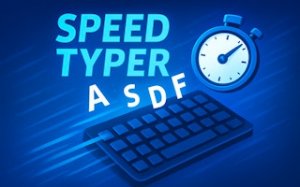
Each round presents a word on screen. Your job is to type it exactly as shown and submit with Enter or the space bar. A correct entry before the countdown hits zero adds bonus time and points, so the session extends as long as you keep clearing words. The timer is the only fail state: once it expires, the run ends. [IMG_1]

Accuracy Before Speed

The scoring system rewards precision over raw pace. Typing fast but wrong yields nothing, while a steady accurate rhythm keeps the clock topped up. That design pushes players to build muscle memory first, then let speed follow naturally. The game states this explicitly: focus on accuracy, then speed, to maximize your score.

Dynamic Word Generation

Words are generated dynamically, so no two rounds are identical. You cannot memorize a fixed list or anticipate a pattern. Each session forces you to read and respond to unfamiliar words, which keeps the exercise fresh and prevents the boredom that comes from repetitive drills. [IMG_2]

Difficulty and Feedback

Multiple difficulty levels range from beginner to advanced, letting you choose a challenge that matches your current skill. Real-time countdown and scoring give immediate feedback on every keystroke. The interface is clean and distraction-free, so your attention stays on the word and the clock rather than on menus or visual noise.

Platform and Audience

Word Sprint Typing Challenge runs on desktop, tablet, and mobile. It is a single-player experience built for students, professionals, and anyone who wants to sharpen keyboard skills in a low-pressure environment. There is no multiplayer and no competitive pressure; the only benchmark is your own previous performance.

Editorial Notes

Compatibility

💻 Desktop | 📱 Mobile | 📟 Tablet
– All supported · Best with Chrome or Safari

Faq

Do I need to install anything to play Word Sprint Typing Challenge?
The game is browser-based and works on desktop, tablet, and mobile. No installation is mentioned in the game's description, so you can play directly from a web browser. A physical keyboard is recommended for desktop play, while tablet and mobile users type on the on-screen keyboard.
How does the bonus time system work in Word Sprint Typing Challenge?
Each correct word adds bonus time to the countdown, extending your session. The game ends when the timer reaches zero. Because bonus time is tied to correct entries, accuracy directly determines how long you play. A single mistake does not end the run, but it costs you the time you would have gained.
Can I play Word Sprint Typing Challenge with a friend or in multiplayer mode?
No. The game is explicitly described as a single-player experience focused on personal growth and skill development. There are no multiplayer modes, leaderboards, or opponent systems mentioned. You compete only against your own previous scores and typing performance.
What is the best way to practice with Word Sprint Typing Challenge?
Consistent short sessions work better than occasional long ones. The game recommends practicing for a few minutes daily. Start with accuracy, use all fingers, and try to look at the screen rather than the keyboard. Take breaks to avoid fatigue. Regular practice is described as leading to measurable improvement.
Does Word Sprint Typing Challenge have different difficulty settings?
Yes. The game includes multiple difficulty levels ranging from beginner to advanced. You can start at a comfortable level and gradually increase the challenge as your typing improves. The difficulty setting affects the overall challenge, though the core mechanic of typing words against a timer remains the same across levels.
Is Word Sprint Typing Challenge suitable for children or beginners?
Yes. The game is designed to be accessible for players of all ages and skill levels. It is described as suitable for students, professionals, and anyone wanting to improve keyboard skills. The low-pressure environment and beginner difficulty option make it appropriate for children and adults who are new to typing practice.